Resolving 500 Status Authentication Errors
解决500状态认证错误 #
🌐 Resolving 500 status authentication errors
Auth 中的 500 错误通常表示外部依赖有问题,比如你的数据库或 SMTP 提供商,而不是 Auth 本身的问题。本指南将帮助你查看 Auth 日志,以找出根本原因。
🌐 A 500 error in Auth typically indicates an issue with an external dependency, such as your database or SMTP provider, rather than with Auth itself. This guide will help you explore the Auth logs to identify the underlying cause.
先决条件 #
🌐 Prerequisites
打开日志浏览器 #
🌐 Open the log explorer
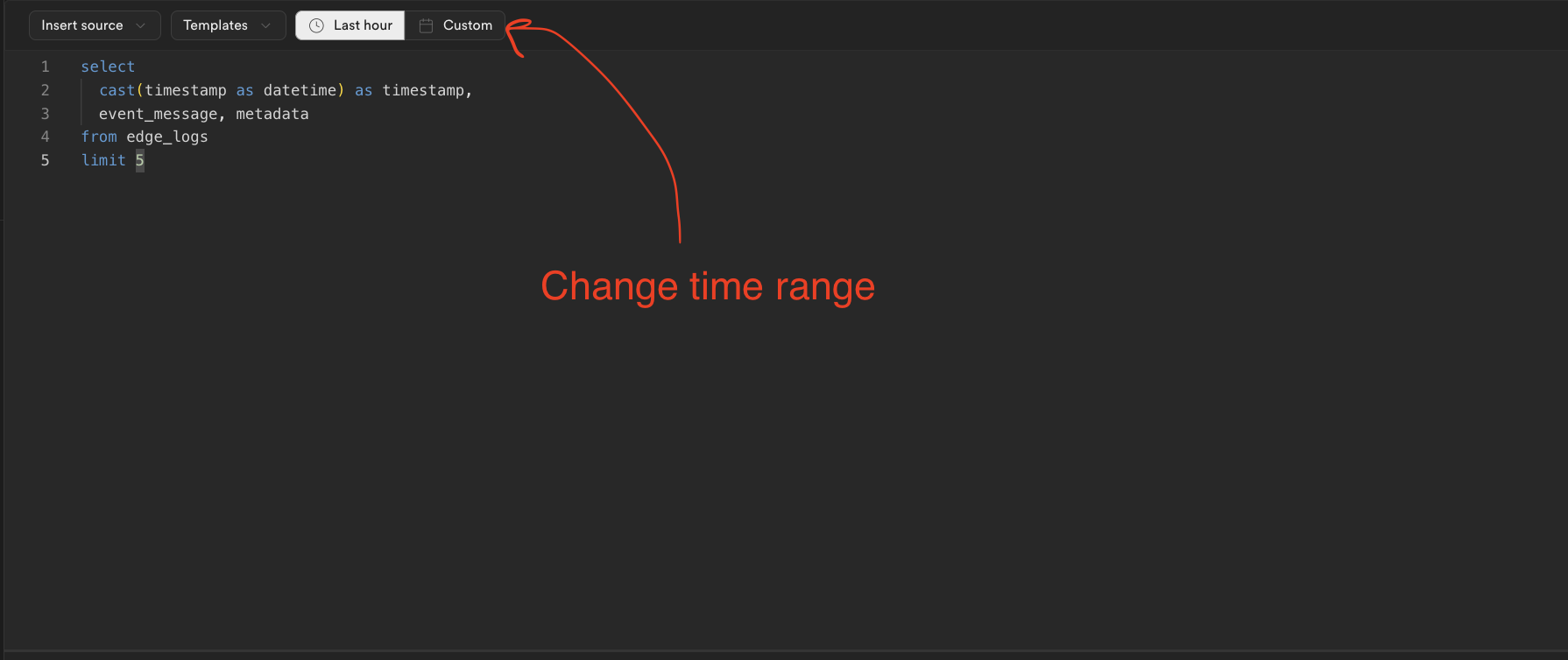
确保你可以访问仪表板的日志浏览器,并适当地设置时间范围:
🌐 Ensure you have access to the Dashboard's Log Explorer and set the time range appropriately:
提高日志可读性 #
🌐 Improving log readability
日志以表格形式显示,阅读起来可能有些困难。双击某一行可以展开,以便更容易查看:
🌐 Logs are displayed in a table format, which can be challenging to read. Double-clicking on a row will expand it for easier viewing:
第1节:检查数据库级别的错误 #
🌐 Section 1: Checking for database-level errors
查询最近的数据库错误 #
🌐 Query for recent database errors
使用以下 SQL 查询检查 Auth 服务器在与你的数据库交互时最近是否遇到过任何错误:
🌐 Use the following SQL query to check for any recent errors the Auth server encountered while interacting with your database:
1select2 cast(postgres_logs.timestamp as datetime) as timestamp,3 event_message,4 parsed.error_severity,5 parsed.user_name,6 parsed.query,7 parsed.detail,8 parsed.hint,9 parsed.sql_state_code,10 parsed.backend_type11from12 postgres_logs13 cross join unnest(metadata) as metadata14 cross join unnest(metadata.parsed) as parsed15where16 regexp_contains(parsed.error_severity, 'ERROR|FATAL|PANIC')17 and regexp_contains(parsed.user_name, 'supabase_auth_admin')18order by timestamp desc19limit 100;如果没有结果,就继续到第二部分。
🌐 If no results are returned, proceed to Section 2.
常见的数据库级别错误 #
🌐 Common database-level errors
已知的身份验证/数据库级别错误类别很少:
🌐 There are few known categories of auth/database level errors:
约束相关(sql_state_code = 23503 或 23*) #
🌐 Constraint related (sql_state_code = 23503 or 23*)
如果你手动在你的表和 auth 模式中的表之间创建了外键关系,某个约束可能会阻止认证服务器更新 auth.users 表。
🌐 If you’ve manually created a foreign key relationship between your tables and those in the auth schema, a constraint may prevent the Auth server from updating the auth.users table.
解决办法 [#solution]
🌐 Solution
日志会显示约束的名称。你需要用 DROP:
🌐 The log will show the name of the constraint. You need DROP it:
1ALTER TABLE <your table> DROP CONSTRAINT <constraint name>;或者,你可以先 DROP,然后用一个限制性较小的修改器重新创建约束,比如 SET NULL、SET DEFAULT 或 CASCADE:
🌐 Alternatively, you can DROP and then recreate the constraint with a less restrictive modifier, such as SET NULL, SET DEFAULT, or CASCADE:
1BEGIN;2ALTER TABLE <your table> DROP CONSTRAINT <constraint name>;34ALTER TABLE <your table> ADD CONSTRAINT <constraint name> FOREIGN KEY (<column name>)5 REFERENCES auth.users (<auth.users column>)6 ON DELETE SET NULL;7COMMIT;所有权相关(sql_state_code = 42501) #
🌐 Ownership related (sql_state_code = 42501)
如果你看到类似“必须是...的所有者”的错误,supabase_auth_admin 角色可能已经失去了对 auth 模式中表的权限。这通常是由外部 ORM(例如 Prisma)的错误迁移或手动修改模式导致的。
🌐 If you see an error like must be owner of..., the supabase_auth_admin role may have lost privileges over tables in the auth schema. This often results from faulty migrations by external ORMs (e.g., Prisma) or manual schema modifications.
解决办法 [#solution-1]
🌐 Solution
通过这个 GitHub Gist 检查所有权。如果有任何对象属于 supabase_admin 角色,请联系 Support。如果它们属于除 supabase_auth_admin 以外的角色,你可以手动一个一个地更改回原来的所有者:
🌐 Check ownership with this GitHub Gist. If any objects are owned by the supabase_admin role, contact Support. If they're owned by roles other than supabase_auth_admin you can change ownership back manually one-by-one:
1ALTER <object type (table, function, etc.)> <auth.object_name> OWNER TO supabase_auth_admin;或者,你可以在这个 GitHub Gist 中运行 SQL 脚本来修改所有
🌐 Alternatively, you can run the SQL script in this GitHub Gist to change all
触发相关: #
🌐 Trigger related:
如果错误涉及数据库函数,这表明某个认证表(很可能是 auth.users)上的触发器出错。如果你不想保留这个触发器/函数,可以删除它,否则,请继续阅读了解如何解决这个问题:
🌐 If errors reference a database function, this indicates a trigger error on one of the auth tables (likely auth.users). If you do not want to keep the trigger/function, you can drop it, otherwise, continue reading to know how to fix the issue:
1-- delete the trigger with the following SQL:2DROP FUNCTION <function name>() CASCADE;34-- If you'd prefer, you can drop the trigger alone with the following query:5-- DROP TRIGGER <trigger_name> on auth.<table_name>;解决方案: [#solutions]
🌐 Solutions:
用这个查询获取函数的定义:
🌐 Get the function's definition with this query:
1select pg_get_functiondef(oid)2from pg_proc3where proname = '<FUNCTION NAME>';触发器权限不足(sql_state_code = 42501) [#trigger-has-insufficient-privileges--sqlstatecode--42501]
🌐 Trigger has insufficient privileges ( sql_state_code = 42501)
如果错误与权限不足有关,你的触发器函数缺少安全定义者标签,这个标签允许它访问 auth 之外的模式。你必须用适当的安全定义者设置 REPLACE 这个函数(示例)。
🌐 If the error is related to insufficient privileges, your trigger function is missing a security definer tag, which allows it to access schemas outside of auth. You must REPLACE the function with the appropriate security definer settings (example)
触发器引用了不存在的表或列(sql_state_code = 42P01) [#trigger-references-a-table-or-column-that-does-not-exist-sqlstatecode--42p01]
🌐 Trigger references a table or column that does not exist (sql_state_code = 42P01)
触发器可能正在引用一个不再存在的表或列。在这种情况下,执行以下三种操作之一:
🌐 The trigger may be referencing a table or column that no longer exists. In that case do one of the three:
- 确保触发器引用表时使用了正确的模式,例如 public、auth 等。
- 修改触发器函数以引用相应的数据库对象。
- 移除触发器
- 重新创建触发器引用的数据库对象
损坏的模式 #
🌐 Corrupted schema
如果你对认证架构做了任何自定义,比如添加 RLS、修改表列,或者添加/删除表,这可能会导致认证服务器的迁移失败。你需要删除这些更改,把认证架构恢复到原本的样子。
🌐 If you made any customizations to the auth schema, such as adding RLS, modifying table columns, or adding/dropping tables, it can break migrations done by the Auth Server. It's necessary to remove these changes and restore the auth schema to its original form.
第2部分:检查权限等级错误 #
🌐 Section 2: Checking Auth level errors
查询认证错误 #
🌐 Query for Auth errors
在日志探索器中运行这个 SQL 查询来查找与身份验证相关的错误:
🌐 Run this SQL query in the Log Explorer to find Auth-related errors:
1select2 cast(metadata.timestamp as datetime) as timestamp,3 msg,4 event_message,5 status,6 path,7 level8from auth_logs9cross join unnest(metadata) as metadata10where11 -- find all errors12 status::INT = 50013 OR14 regexp_contains(level, 'error|fatal')15order by timestamp数据库迁移错误 #
🌐 Database migration errors
running db migrations: Migrator: problem creating schema migrations
这是来自 Postgres 部分“损坏的架构”错误的延续。如果你修改了 auth 架构中的结构,比如列或表,或者添加了限制,比如 RLS,Auth 将无法完成它的迁移。必须移除这些修改。
🌐 This is a continuation of the "Corrupted Schema" error from the Postgres Section. If you modified structures in the auth schema, such as columns or tables, or added restrictions, such as RLS, Auth will not be able to complete it's migrations. It's necessary to remove those modifications.
如果你使用的是旧版本的身份验证,可能会遇到迁移错误。如果是这样,可以查看这个指南来解决问题。如果还不行,请联系支持团队。
🌐 If you are running older versions of auth, you may experience a migration bug. If so, checkout this guide for a resolution. If it doesn't work, contact Support.
SMTP 错误 #
🌐 SMTP errors
日志可能包含关于 gomail 的信息。这意味着身份验证在与 SMTP 提供商通信时遇到了困难。这通常表示:
🌐 The logs may contain messages about gomail. It means that auth is struggling to communicate with the SMTP provider. This often implies that:
- 你的邮箱提供商的自定义域名配置错误。
- 无效的邮箱端口使用。
- SMTP 提供商的速率限制。
- SMTP 提供商宕机了。
日志可以提供一些正在发生情况的背景,但重要的是要与你的外部 SMTP 提供商确认,确保一切设置正确。
🌐 The log will be able to provide some context for what is occurring, but it is important to check with your external SMTP provider to make sure everything is properly configured.
步骤 3:检查电子邮件模板 #
🌐 Step 3: Checking email templates
不完整或错误的邮件模板也可能导致500错误。如果你的模板有未闭合的变量标签或HTML元素,或者使用了禁止的字符,这可能就是问题所在。
🌐 Incomplete or incorrect email templates can also cause 500 errors. If your templates have unclosed variable tags or HTML elements, or use forbidden characters, this might be the issue.
在 Auth Dashboard 测试一个简化的电子邮件模板。如果新模板可用,修改原始模板以避免禁止字符,并确保所有元素/变量都正确关闭。
🌐 Test a simplified email template in the Auth Dashboard. If the new template works, revise your original template to avoid forbidden characters and ensure all elements/variables are properly closed.