Using Google SMTP with Supabase Custom SMTP
嘿大家,我一直在听到一些反馈,说在 Supabase 上让 Google SMTP 正常工作可能挺有挑战性的。我尝试用一个试用的 Google Workspace 账户设置了一下,这是我发现的情况。
🌐 Hey everyone, i've been hearing feedback about how challenging it can be to get google SMTP working properly with Supabase. I've tried setting this up with a trial google workspace account and this is what i've discovered.
- 发件人邮箱和 SMTP 用户名必须是你的 Google Workspace 管理员邮箱。
- 使用的 SMTP 密码必须是应用专用密码。Google Workspace 并不容易让人弄明白怎么创建这个密码。你首先需要在你的 Workspace 账号上 启用双重验证(不是在管理员控制台里,而是在 https://myaccount.google.com/)。
- 如果你只想使用
smtp-relay.gmail.com,只有端口 465 可用。如果你想使用smtp.gmail.com,可以使用端口 465 或 587。以下截图显示了这些步骤的样子:
针对 smtp-relay.gmail.com#
🌐 For smtp-relay.gmail.com
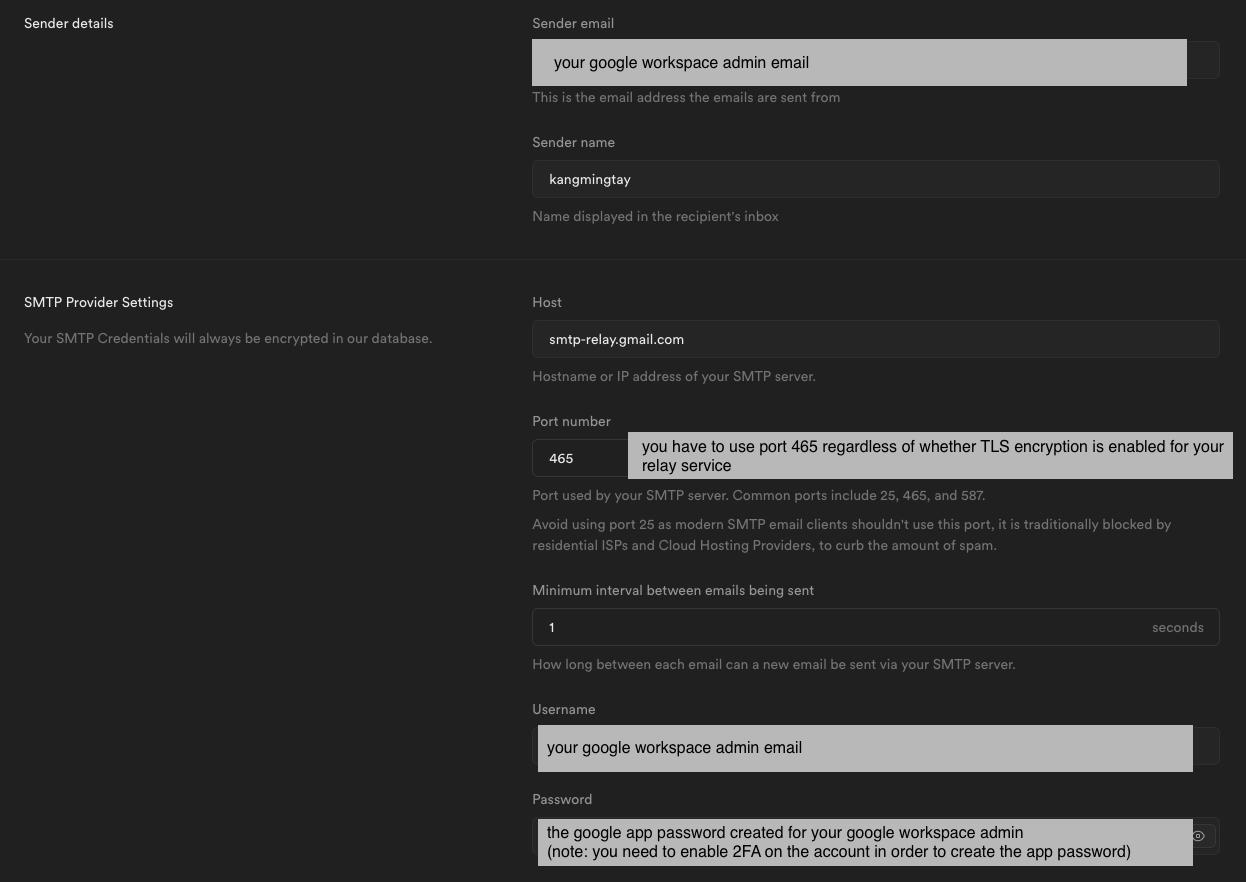
(“需要 TLS 加密”选项在测试时似乎没有任何影响)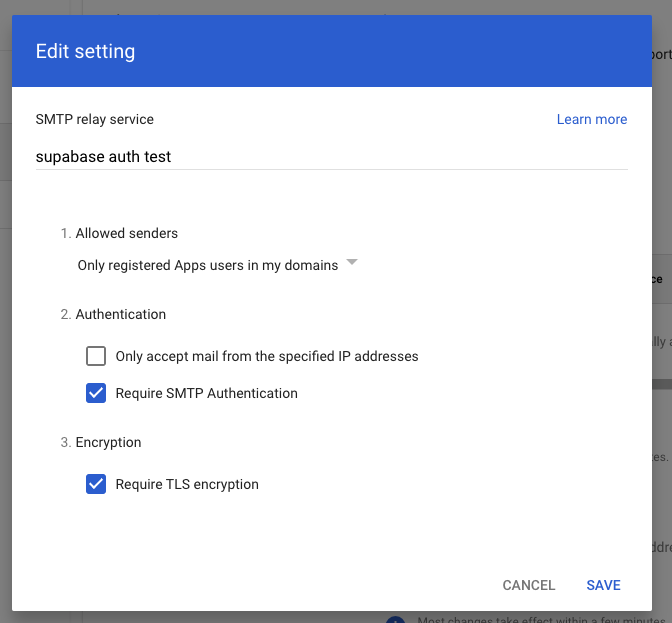
针对 smtp.gmail.com#
🌐 For smtp.gmail.com
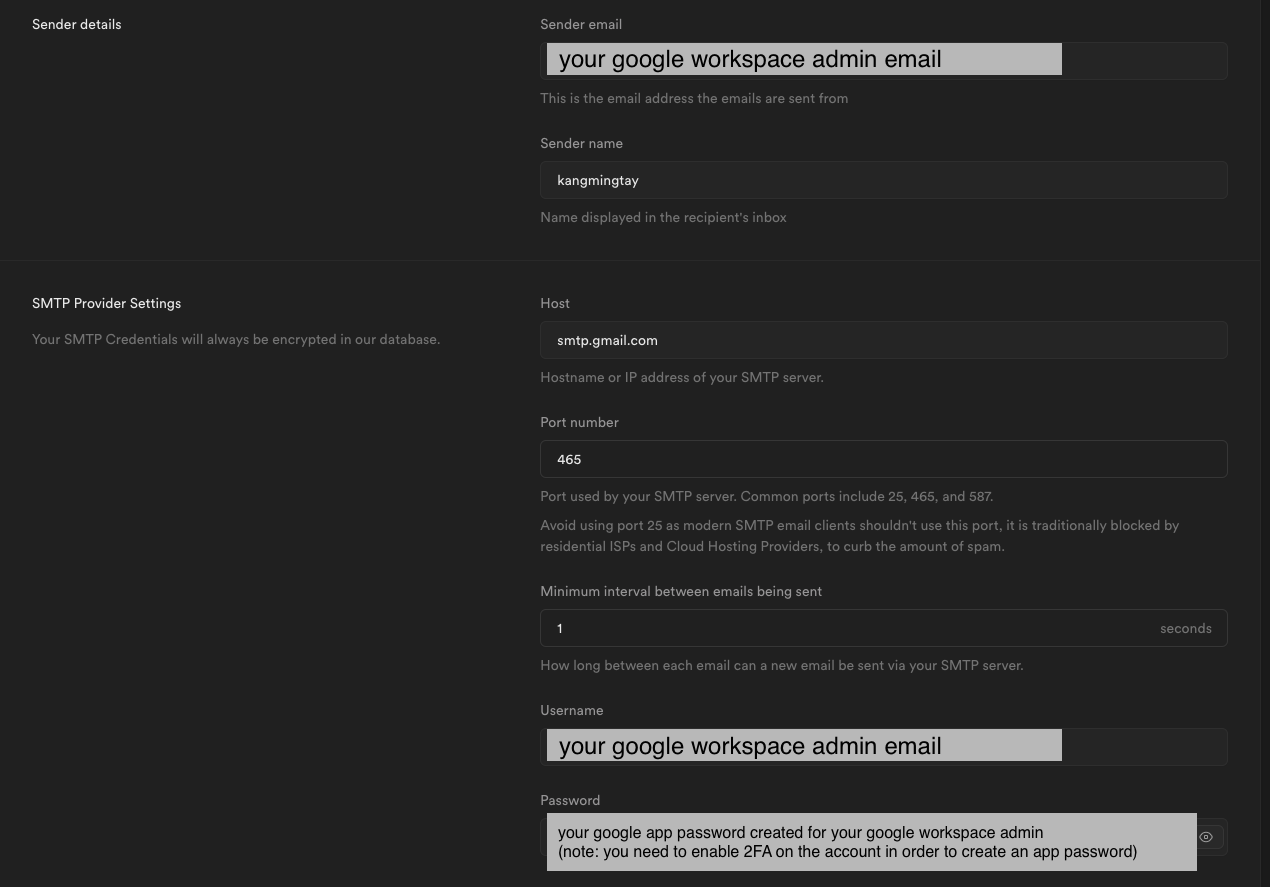
很多都是通过反复试验弄明白的。 这不太可能是 Supabase Auth 的问题,因为 Supabase Auth 使用了 原生 Golang SMTP 库。如果你在设置 Google SMTP 时仍然有问题,可以尝试切换到下面这些 SMTP 提供商之一:
🌐 A lot of this was figured out through trial and error. This is unlikely to be a Supabase Auth bug because Supabase Auth uses the native Golang SMTP library . If you still have issues setting up Google SMTP, you can try switching to one of these SMTP providers: