Edge Function 404 error response
Supabase 无法识别这个边缘函数,或者找不到它部署的包。
🌐 The edge function is not recognized by Supabase, or its deployed bundle cannot be found.
错误的上下文 #
🌐 Context for the error
如果 Supabase Edge Function Runtime 无法识别 URL 端点中指定的函数:
🌐 If the Supabase Edge Function Runtime does not recognize the function specified in the URL endpoint:
1https://PROJECT_REF.supabase.co/functions/v1/UNRECOGNIZED_FUNCTION_NAME那运行时就会返回一个404错误。
🌐 then the runtime will return a 404 error.
解决错误 #
🌐 Solving the error
第1步:找出错误 #
🌐 Step 1: Identifying the error
如果测试返回了404,但不符合下面的条件,那么错误来自你应用的逻辑。
🌐 If the tests return a 404 but do not match the criteria below, the error is coming from your app's logic.
检查请求返回的信息 #
🌐 Inspecting the return message from the request
平台的 404 错误在浏览器中无法检测到。相反,要在浏览器中确认 404 错误,你必须查看日志 。
🌐 Platform 404 errors cannot be detected in the browser. Instead, to confirm 404s from the browser, you must check the logs instead.
浏览器将 404 错误错误地报告为通用的 CORS errors。因此,Supabase JavaScript 客户端 只会显示一个通用消息:Failed to send a request to the Edge Function。
🌐 Browsers misreport 404s as generic CORS errors. As a result, the Supabase JavaScript client surfaces only a generic message: Failed to send a request to the Edge Function.
当边缘函数因平台 404 错误而失败时,它会返回错误:
🌐 When an edge function fails due to a platform 404 error, it will return the error:
1{2 "code": "NOT_FOUND",3 "message": "Requested function was not found"4}不同平台的 404 错误 NOT_FOUND_FUNCTION_BLOB 可能会发生在函数名被识别但运行时找不到已部署的包时。即使在仪表板中函数显示为 ACTIVE,也可能发生这种情况,因为状态显示函数记录存在,但实际的部署包丢失或无法访问:
🌐 A different platform 404 error, NOT_FOUND_FUNCTION_BLOB, can occur when the function name is recognized but the runtime cannot find the deployed bundle. This can happen even when the function appears as ACTIVE in the dashboard, because the status shows that the function record exists while the actual deployment bundle is missing or inaccessible:
1{2 "code": "NOT_FOUND_FUNCTION_BLOB",3 "message": "Function deployment bundle not found"4}这两个错误的区别是:
🌐 The difference between the two errors is:
NOT_FOUND:请求 URL 中的函数名无法识别。NOT_FOUND_FUNCTION_BLOB:函数名被识别了,但运行时找不到已部署的包。
查看日志 #
🌐 Inspecting the logs
在使用日志浏览器时总是设置一个合适的时间范围
🌐 Always configure an appropriate time frame when using the log explorer
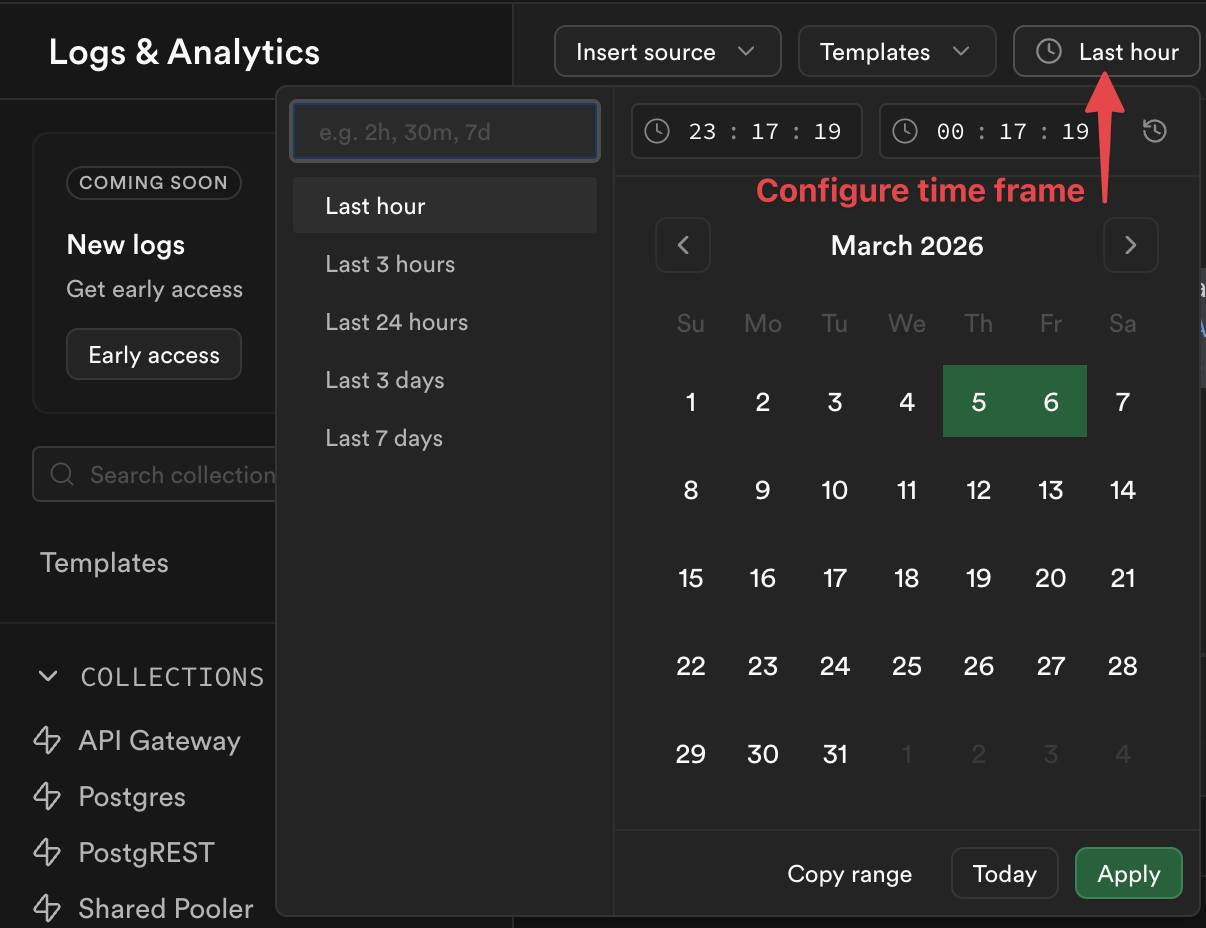
你不能检查函数仪表板来查找平台404错误,取而代之的是,在日志浏览器中运行以下查询。结果会显示所有到达Supabase但被识别为不可识别而被拒绝的请求。
1select distinct2 req.pathname as function_name,3 res.status_code,4 case5 when metadata.execution_id is null then 'FUNCTION_NOT_FOUND'6 else 'FUNCTION RECOGNIZED: custom 404 message in app logic'7 end as type_of_4048from9 function_edge_logs10 cross join UNNEST(metadata) as metadata11 cross join UNNEST(metadata.request) as req12 cross join UNNEST(metadata.response) as res13where status_code = 40414limit 10;步骤2:检查函数是否有拼写错误 #
🌐 Step 2: Check the function for typos
在你的代码中,确保你的函数名没有任何拼写错误,比如:
🌐 In your code, make sure your function name doesn't have any typos, such as:
- miscapitalization
- 破折号而不是连字符
- 放错位置的字符
- 不必要的斜杠
///
步骤 3:试着从仪表板调用这个函数 #
🌐 Step 3: Try calling the function from the dashboard
在 功能仪表板 中选择你的功能时,你应该可以选择进行一次测试调用:
🌐 When selecting your function in the Function Dashboard, you should have the option to make a test call:

如果调用成功,考虑仔细检查你的代码是否有拼写错误,或者是否在动态覆盖函数名。否则,继续进行第4步。
🌐 If the call works, consider double checking your code for typos or to see if it is overwriting the function name dynamically. Otherwise, go on to step 4.
第4步:重新部署函数 #
🌐 Step 4: Redeploy the function
如果步骤3失败,可能是内部错误的迹象,可能需要重新部署你的函数。如果你看到 NOT_FOUND_FUNCTION_BLOB 错误,也同样适用,这意味着函数被识别了,但找不到它部署的包。即使函数在仪表板上显示为 ACTIVE,也可能发生这种情况。
🌐 If step 3 fails, it may be a sign of an internal bug and it may be necessary to redeploy your function. The same applies if you see the NOT_FOUND_FUNCTION_BLOB error, which means the function is recognized but its deployed bundle cannot be found. This can occur even when the function appears as ACTIVE in the dashboard.
这可以在各自功能的代码选项卡下的 功能仪表板 中完成:
🌐 This can be done within the Function Dashboard under the respective function's code tab:
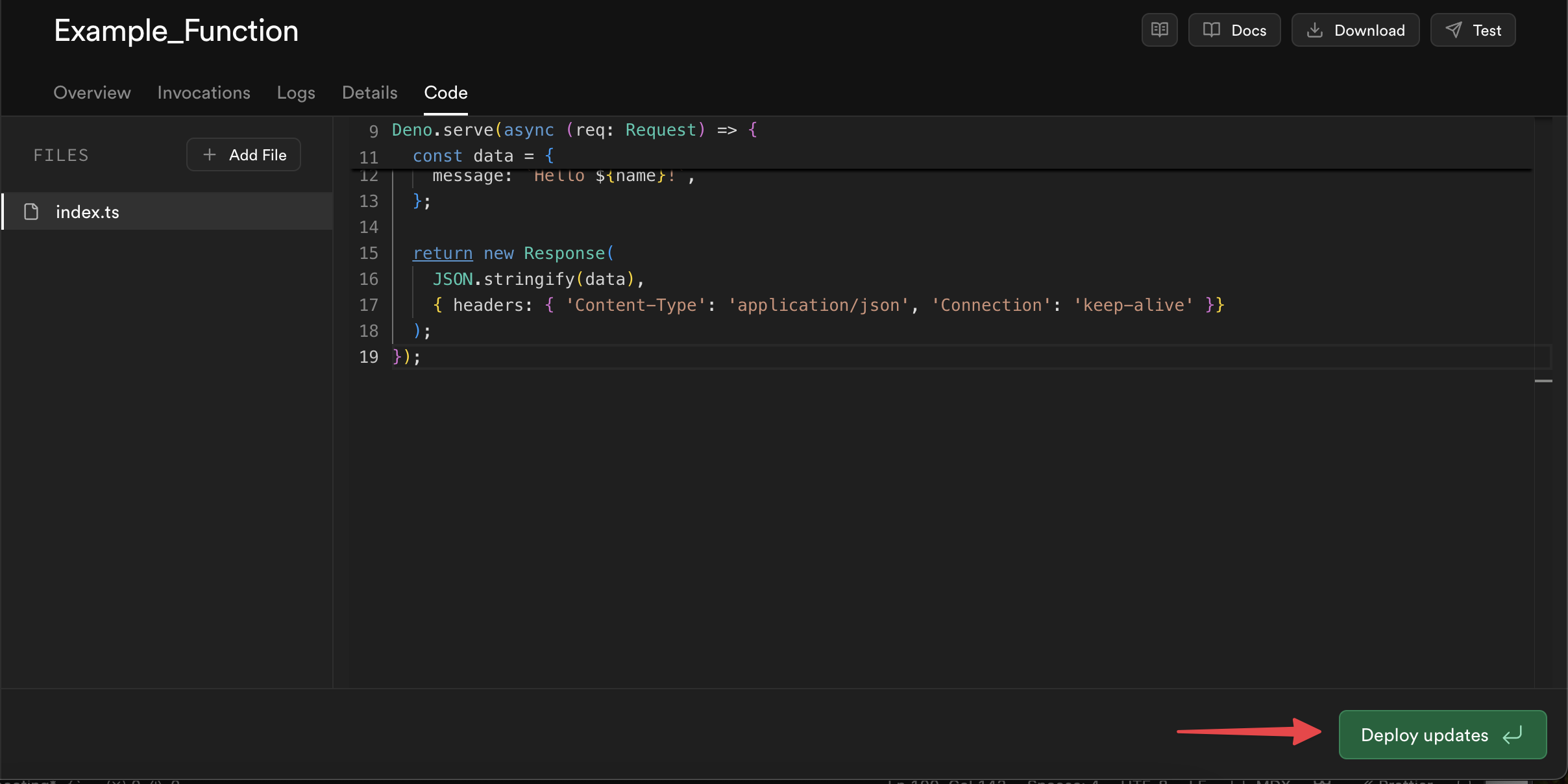
或者,如果你在本地开发,你可以使用 Supabase CLI 重新部署这个函数:
🌐 Alternatively, if you develop locally, you can redeploy the function with the Supabase CLI:
1# Redeploy one affected function2supabase functions deploy FUNCTION_NAME34# Or redeploy all functions if several are affected5supabase functions deploy重新部署后,再试一次请求。如果错误仍然存在,给 Supabase Support 提交工单。
🌐 After redeploying, retry the request. If the error persists, write in a ticket to Supabase Support.
额外资源 #
🌐 Additional resources