启用验证码保护
Supabase 为你的登录、注册和密码重置表单提供了添加 CAPTCHA 的选项。这可以让你的网站远离机器人和恶意脚本。Supabase 认证支持 hCaptcha 和 Cloudflare Turnstile。
🌐 Supabase provides you with the option of adding CAPTCHA to your sign-in, sign-up, and password reset forms. This keeps your website safe from bots and malicious scripts. Supabase authentication has support for hCaptcha and Cloudflare Turnstile.
注册验证码 #
🌐 Sign up for CAPTCHA
Go to the hCaptcha website and sign up for an account. On the Welcome page, copy the Sitekey and Secret key.
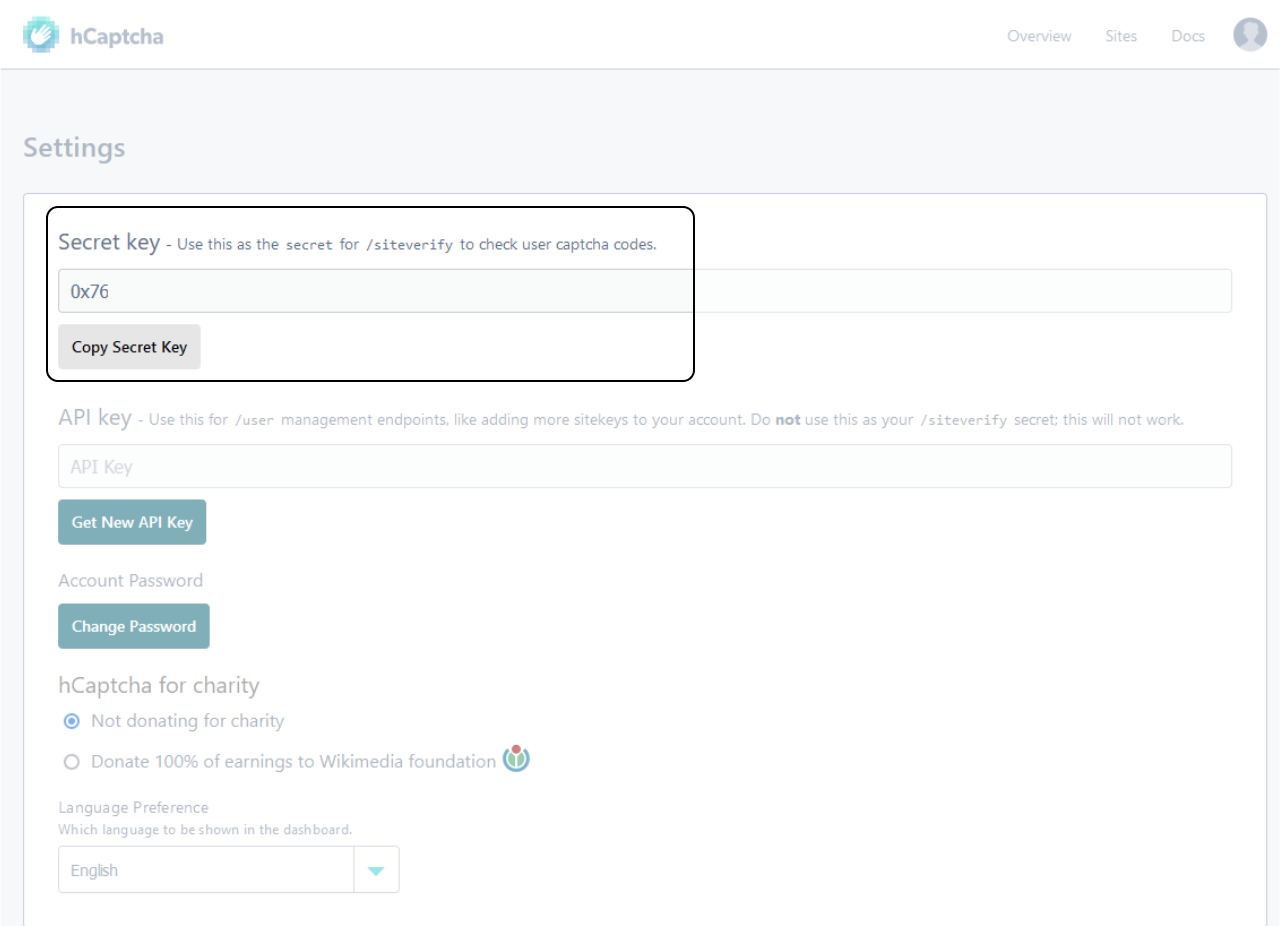
如果你已经注册过并且没有从欢迎页面复制这些信息,你可以在设置页面获取秘密密钥。
🌐 If you have already signed up and didn't copy this information from the Welcome page, you can get the Secret key from the Settings page.
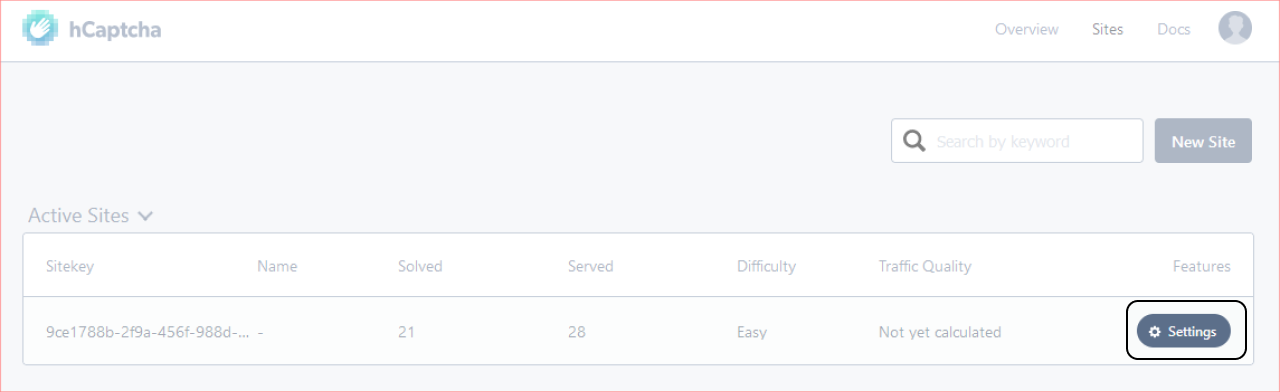
你可以在你创建的活动网站的设置里找到Sitekey。
🌐 The Sitekey can be found in the Settings of the active site you created.
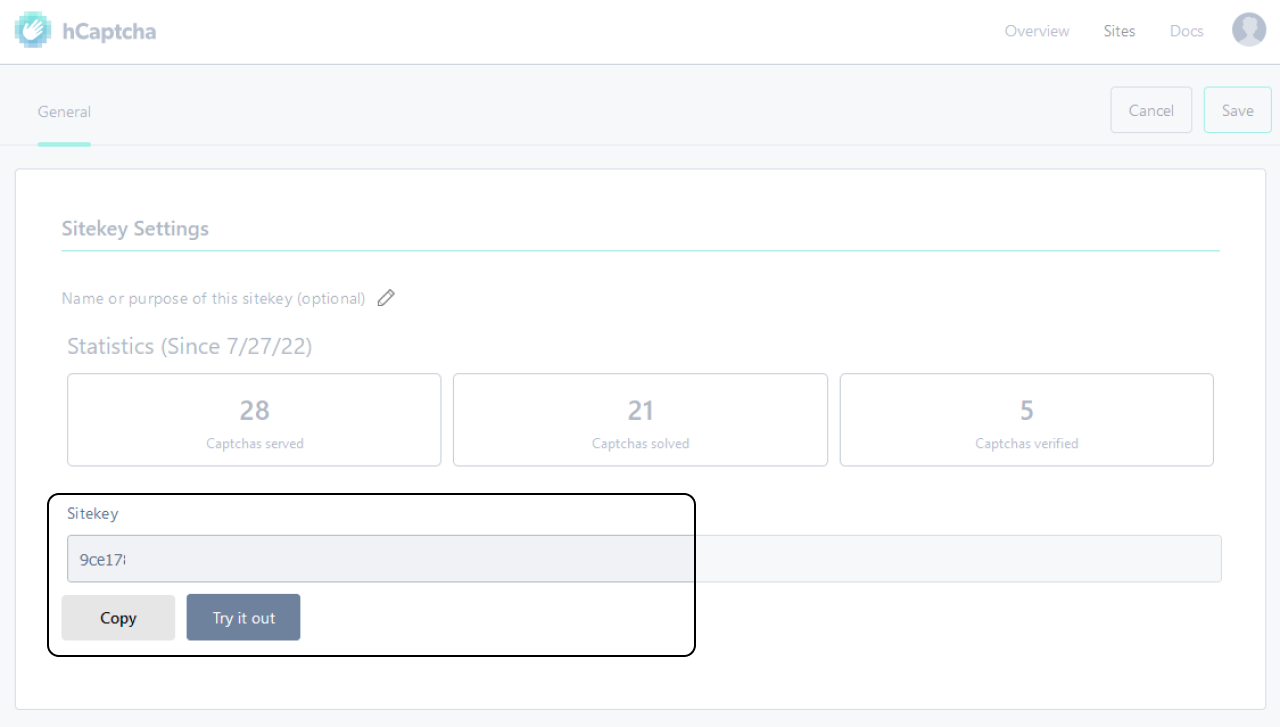
在设置页面,找到 Sitekey 部分并复制密钥。
🌐 In the Settings page, look for the Sitekey section and copy the key.
为你的 Supabase 项目启用 CAPTCHA 保护 #
🌐 Enable CAPTCHA protection for your Supabase project
在 Supabase 仪表板的项目设置中,导航到 Auth 部分,然后在 设置 > 认证 > 机器人和滥用保护 > 启用 CAPTCHA 保护 下找到 启用 CAPTCHA 保护 开关。
🌐 Navigate to the Auth section of your Project Settings in the Supabase Dashboard and find the Enable CAPTCHA protection toggle under Settings > Authentication > Bot and Abuse Protection > Enable CAPTCHA protection.
从下拉菜单中选择你的 CAPTCHA 提供商,输入你的 CAPTCHA 密钥,然后点击 保存。
🌐 Select your CAPTCHA provider from the dropdown, enter your CAPTCHA Secret key, and click Save.
添加 CAPTCHA 前端组件 #
🌐 Add the CAPTCHA frontend component
前端需要进行一些修改,以便在屏幕上为用户提供 CAPTCHA。这个示例使用了 React 和相应的 CAPTCHA React 组件,但这两个 CAPTCHA 提供商都可以与任何 JavaScript 框架一起使用。
🌐 The frontend requires some changes to provide the CAPTCHA on-screen for the user. This example uses React and the corresponding CAPTCHA React component, but both CAPTCHA providers can be used with any JavaScript framework.
把 @hcaptcha/react-hcaptcha 安装到你的项目里作为依赖。
🌐 Install @hcaptcha/react-hcaptcha in your project as a dependency.
1npm install @hcaptcha/react-hcaptcha现在从 @hcaptcha/react-hcaptcha 库中导入 HCaptcha 组件。
🌐 Now import the HCaptcha component from the @hcaptcha/react-hcaptcha library.
1import HCaptcha from '@hcaptcha/react-hcaptcha'创建一个空状态来存储 captchaToken
🌐 Create an empty state to store the captchaToken
1const [captchaToken, setCaptchaToken] = useState()现在让我们把 HCaptcha 组件加到我们代码的 JSX 部分
🌐 Now lets add the HCaptcha component to the JSX section of our code
1<HCaptcha />把我们从 hCaptcha 网站复制的 sitekey 作为一个属性传给它,同时还传一个 onVerify 属性,这个属性接收一个回调函数。这个回调函数会有一个 token 作为它的属性之一。使用 setCaptchaToken 把这个 token 设置到状态中
🌐 Pass it the sitekey we copied from the hCaptcha website as a property along with a onVerify property which takes a callback function. This callback function will have a token as one of its properties. Set the token in the state using setCaptchaToken
1<HCaptcha2 sitekey="your-sitekey"3 onVerify={(token) => {4 setCaptchaToken(token)5 }}6/>现在让我们在 Supabase 注册函数中使用我们收到的 CAPTCHA 令牌。
🌐 Now lets use the CAPTCHA token we receive in our Supabase signUp function.
1await supabase.auth.signUp({2 email,3 password,4 options: { captchaToken },5})在调用上面的函数之后,我们还需要重置 CAPTCHA 验证。
🌐 We will also need to reset the CAPTCHA challenge after we have made a call to the function above.
为我们的 HCaptcha 组件创建一个 ref。
🌐 Create a ref to use on our HCaptcha component.
1const captcha = useRef()在 HCaptcha 组件上添加一个 ref 属性,并将 captcha 常量赋给它。
🌐 Add a ref attribute on the HCaptcha component and assign the captcha constant to it.
1<HCaptcha2 ref={captcha}3 sitekey="your-sitekey"4 onVerify={(token) => {5 setCaptchaToken(token)6 }}7/>在调用 signUp 函数后,使用以下代码重置 captcha:
🌐 Reset the captcha after the signUp function is called using the following code:
1captcha.current.resetCaptcha()为了在本地测试这个是否可行,我们需要使用类似 ngrok 的工具或在你的 hosts 文件中添加一条记录。你可以在 hCaptcha 文档 中了解更多信息。
🌐 In order to test that this works locally we will need to use something like ngrok or add an entry to your hosts file. You can read more about this in the hCaptcha docs.
运行应用,你现在应该会看到一个验证码挑战。
🌐 Run the application and you should now be provided with a CAPTCHA challenge.