连接 pgAdmin
pgAdmin 是什么? #
🌐 What is pgAdmin?
[pgAdmin](https://www.pgadmin.org/) 是一个用于管理 Postgres 数据库的图形界面工具。你可以用它通过 SSL 连接到你的数据库。
将 pgAdmin 连接到你的 Postgres 数据库 #
🌐 Connecting pgAdmin with your Postgres database
注册一个新的 Postgres 服务器。

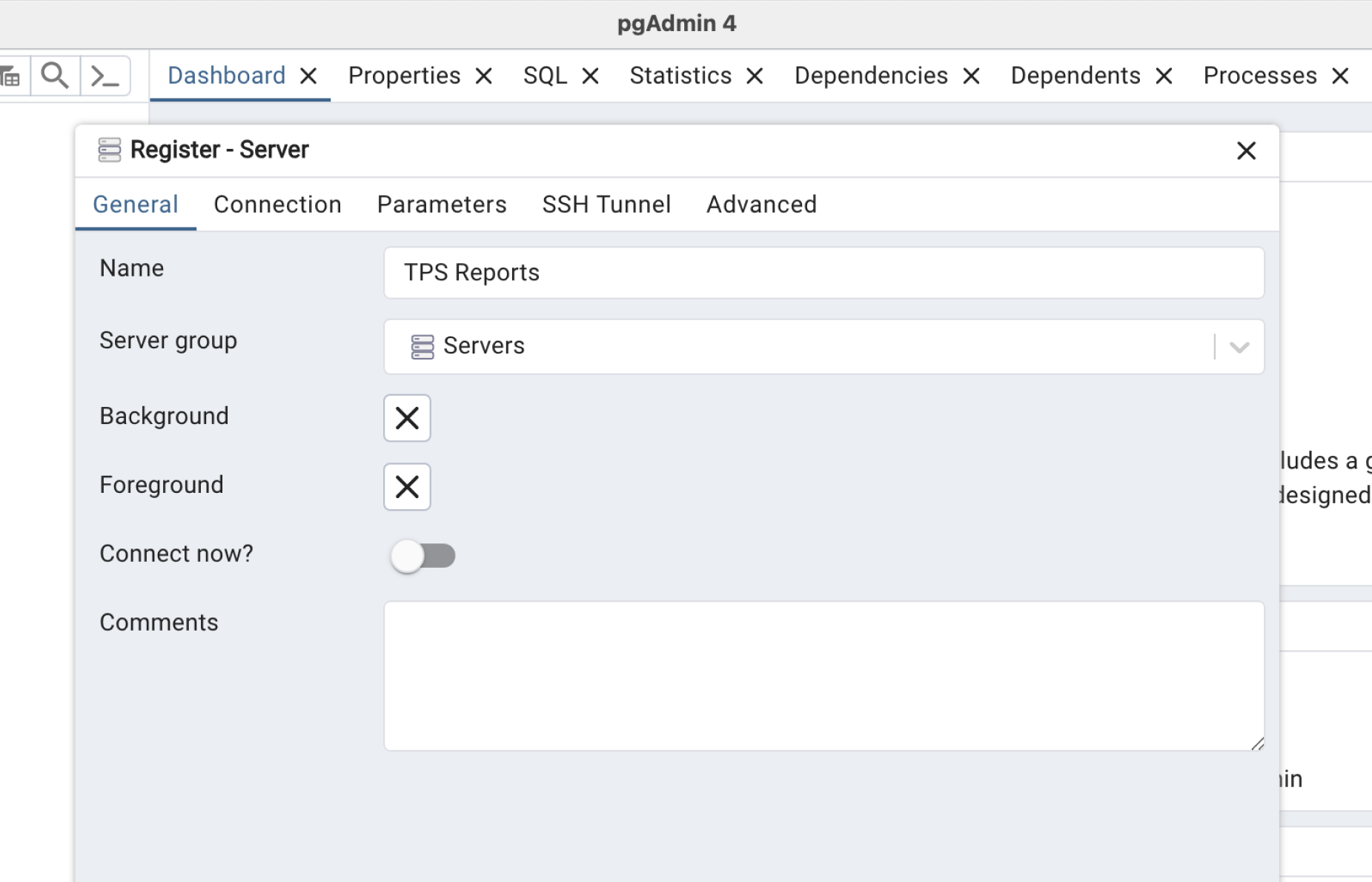
给你的服务器起个名字。
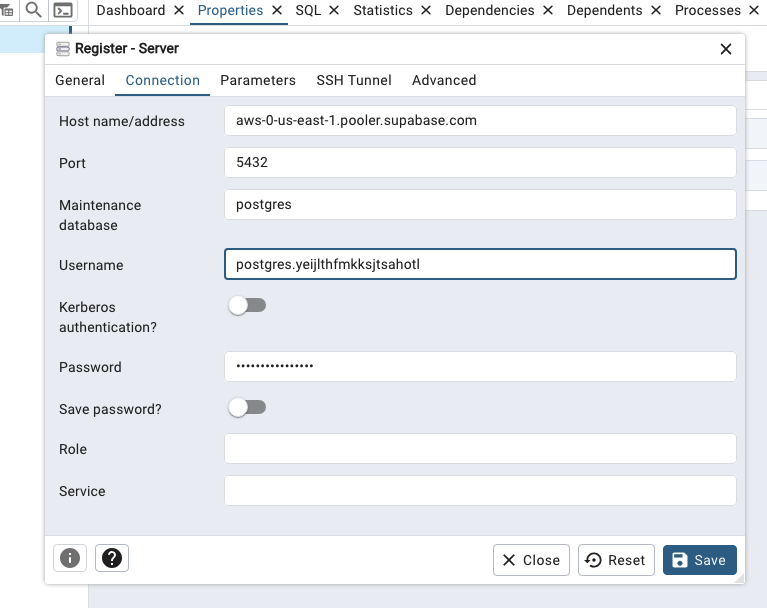
添加连接信息。点击页面顶部的“连接”按钮打开连接模态框。向下滚动到“会话池”,点击“查看参数”展开参数菜单,然后复制你的连接参数。填写你在创建项目时设置的数据库密码(如果没有,可以在上面的数据库设置中重置)。
从仪表板的 Database Settings 下载你的 SSL 证书。
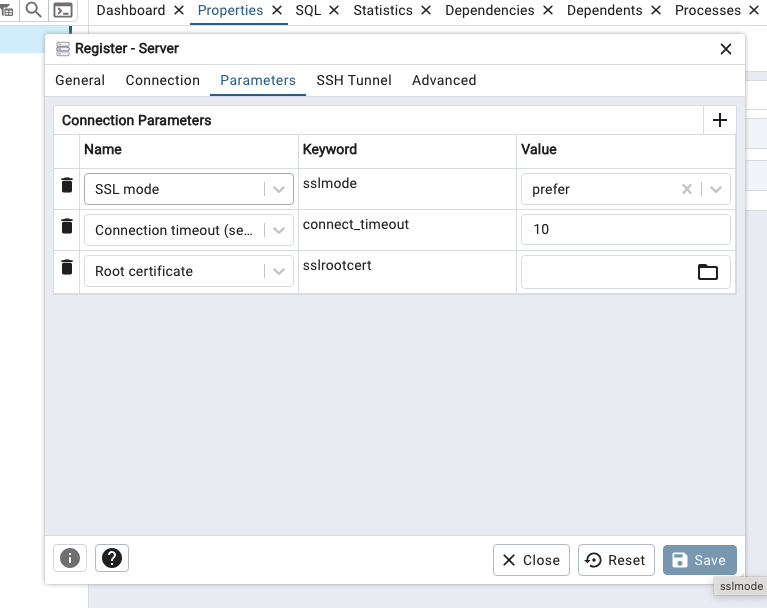
在 pgAdmin 中,导航到“参数”选项卡,然后选择连接参数为根证书。接下来,导航到根证书输入,它会打开一个文件选择窗口。选择你之前下载的证书并保存服务器详情。现在 pgAdmin 应该可以通过 SSL 连接到你的 Postgres。
为什么要连接到 pgAdmin #
🌐 Why connect to pgAdmin
将你的 Postgres 实例连接到 pgAdmin 可以让你免费使用一个跨平台的 GUI,让浏览对象、使用自动补齐写查询、执行备份和监控性能等任务比单独使用 psql 更快更安全。
🌐 Connecting your Postgres instance to pgAdmin gives you a free, cross-platform GUI that makes tasks such as browsing objects, writing queries with autocomplete, running backups, and monitoring performance much faster and safer than using psql alone.
它就像一个单一的控制面板,你可以在这里管理多个服务器,实时查看锁和慢查询,还能一键执行维护操作。
🌐 It acts as a single control panel where you can manage multiple servers, inspect locks and slow queries in real time, and perform maintenance operations with a click.
对于有脚本的迁移或者超轻量的远程工作,你仍然会依赖普通的 SQL 或命令行工具,但大多数团队发现 pgAdmin 在探索和日常管理中非常有用。
🌐 For scripted migrations or ultra-light remote work you’ll still lean on plain SQL or CLI tools, but most teams find pgAdmin invaluable for exploration and routine administration.