连接 PSQL
psql 是一个随 Postgres 一起提供的命令行工具。
连接到 SSL #
🌐 Connecting with SSL
你应该尽可能使用 SSL 连接你的数据库,以防止窃听和中间人攻击。
🌐 You should connect to your database using SSL wherever possible, to prevent snooping and man-in-the-middle attacks.
你可以从你应用的仪表板获取连接信息和服务器根证书:
🌐 You can obtain your connection info and Server root certificate from your application's dashboard:
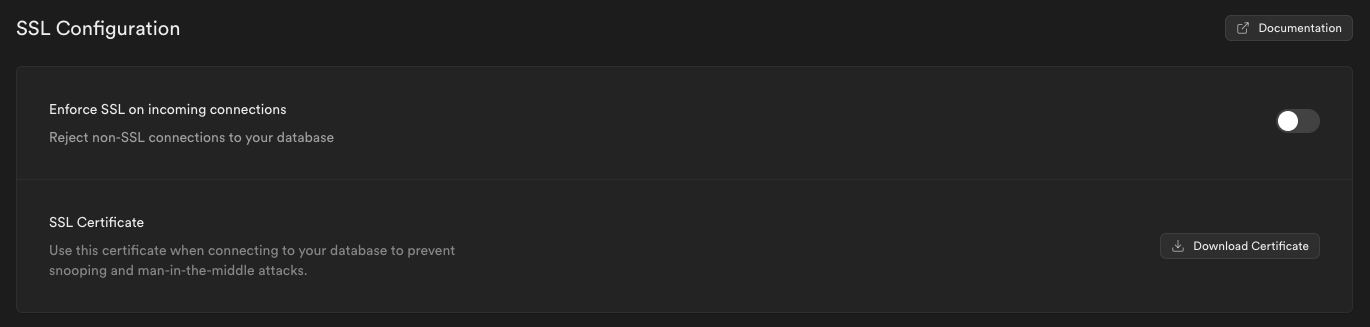
将你的SSL证书下载到 /path/to/prod-supabase.cer。
🌐 Download your SSL certificate to /path/to/prod-supabase.cer.
找到你的连接设置。进入项目的 连接 面板,从 Session pooler 部分复制 URL,然后将参数复制到连接字符串中:
🌐 Find your connection settings. Go to the project Connect panel and copy the URL from the Session pooler section, and copy the parameters into the connection string:
1psql "sslmode=verify-full sslrootcert=/path/to/prod-supabase.cer host=[CLOUD_PROVIDER]-0-[REGION].pooler.supabase.com dbname=postgres user=postgres.[PROJECT_REF]"