用 Facebook 登录
要为你的项目启用 Facebook 认证,你需要设置一个 Facebook OAuth 应用,并把应用的凭证添加到你的 Supabase 控制面板。
🌐 To enable Facebook Auth for your project, you need to set up a Facebook OAuth application and add the application credentials to your Supabase Dashboard.
概览 #
🌐 Overview
为你的应用设置 Facebook 登录包括四个部分:
🌐 Setting up Facebook logins for your application consists of 4 parts:
- 在 Facebook 开发者网站 上创建并配置一个 Facebook 应用
- 在你的 Facebook 应用中配置邮件权限(Supabase Auth 所必需)
- 将你的 Facebook 密钥添加到你的 Supabase 项目
- 将登录代码添加到你的 Supabase JS 客户端应用
访问你的 Facebook 开发者账号 #
🌐 Access your Facebook Developer account
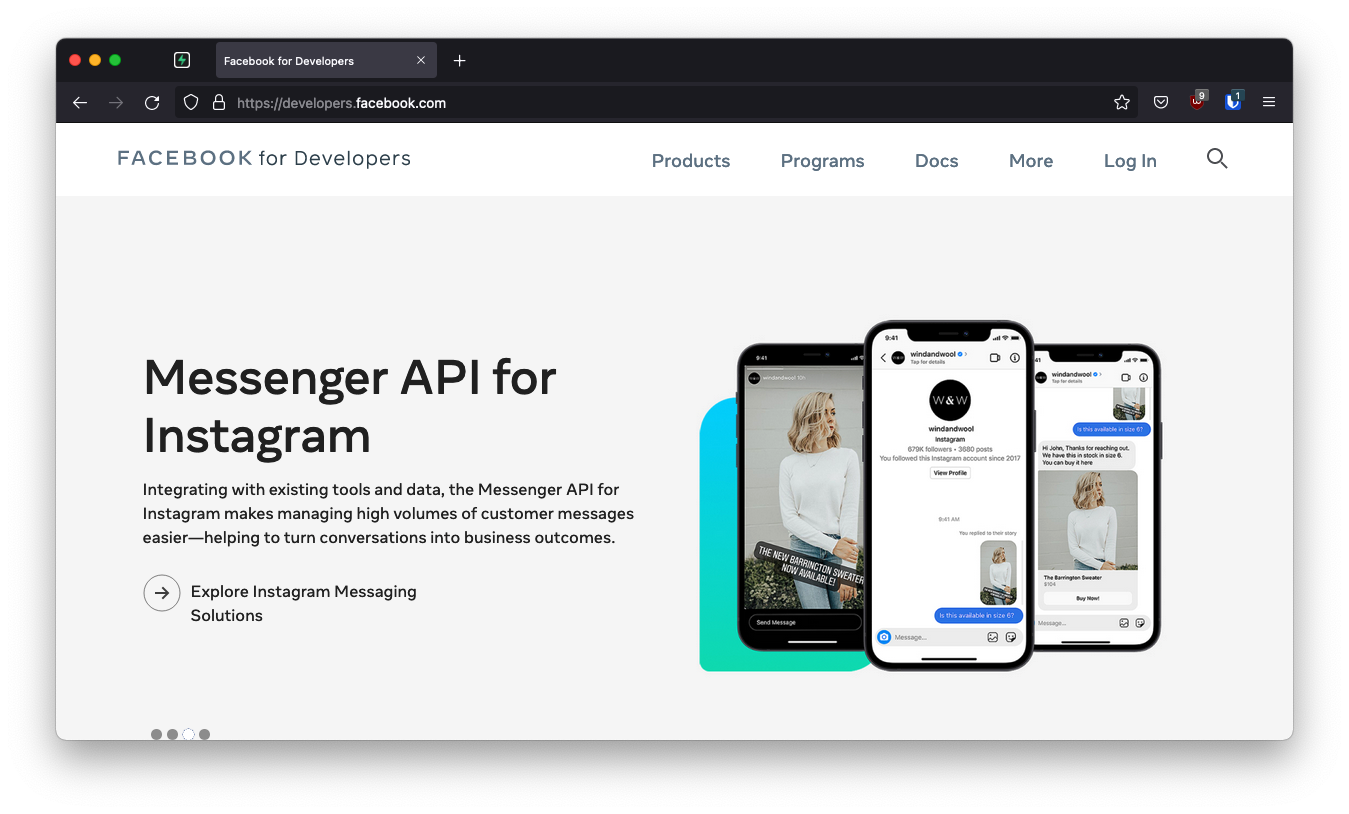
- 去 developers.facebook.com 。
- 点击右上角的
Log In登录。
创建一个 Facebook 应用 #
🌐 Create a Facebook app
- 点击右上角的
My Apps。 - 点击右上角附近的
Create App。 - 选择你的应用类型,然后点击
Continue。 - 填写你的应用信息,然后点击
Create App。 - 这应该会带你到屏幕:
Add Products to Your App。(或者你也可以点击左侧边栏的Add Product来进入这个屏幕。)
下一步需要一个回调 URL,看起来像这样:https://<project-ref>.supabase.co/auth/v1/callback
- 前往你的 Supabase 项目仪表板
- 点击左侧边栏的
Authentication图标 - 在配置部分点击
Sign In / Providers - 点击手风琴列表中的 Facebook 展开,你就会找到你的 回调 URL,你可以点击
Copy将其复制到剪贴板
本地开发 #
🌐 Local development
在本地使用 Supabase CLI 测试 OAuth 时,确保你的 OAuth 提供商已配置本地 Supabase Auth 回调 URL:
🌐 When testing OAuth locally with the Supabase CLI, ensure your OAuth provider is configured with the local Supabase Auth callback URL:
http://localhost:54321/auth/v1/callback
如果这个回调 URL 缺失或配置错误,OAuth 登录可能会失败,或者在本地开发时无法正确跳转。
🌐 If this callback URL is missing or misconfigured, OAuth sign-in may fail or not redirect correctly during local development.
有关更多详情,请查看本地开发文档。
🌐 See the local development docs for more details.
要在本地使用 Supabase CLI 测试 OAuth,请参阅本地开发文档。
🌐 For testing OAuth locally with the Supabase CLI see the local development docs.
为你的 Facebook 应用设置 Facebook 登录 #
🌐 Set up Facebook login for your Facebook app
从 Add Products to your App 屏幕开始:
🌐 From the Add Products to your App screen:
- 在 Facebook 登录 下点击 设置
- 跳过快速入门界面。在左侧边栏中,点击 Facebook 登录 下的 设置
- 在 Facebook 登录设置 页面下的 有效 OAuth 重定向 URI 中输入你的回调 URI
- 点击右下角的保存更改
你的回调 URI 遵循这个模式:https://<project-ref>.supabase.co/auth/v1/callback
你可以在 Supabase 控制台 的 身份验证 > 提供者 > Facebook 下找到你的项目回调 URI。
🌐 You can find your project's callback URI in the Supabase Dashboard under Authentication > Providers > Facebook.
配置电子邮件权限(必需) #
🌐 Configure email permissions (required)
这一步是 Supabase Auth 正常工作必需的。如果没有邮箱权限,Facebook 就不会返回用户的邮箱地址,这可能导致认证失败或用户资料不完整。
🌐 This step is required for Supabase Auth to work correctly. Without email permissions, Facebook will not return the user's email address, which may cause authentication failures or incomplete user profiles.
你必须在你的 Facebook 应用的使用案例中配置邮箱权限:
🌐 You must configure the email permission in your Facebook app's Use Cases:
- 在你的 Facebook 应用仪表板中,点击
Build Your App下的 使用案例 - 找到身份验证和账户创建,然后点击右侧的编辑按钮
- 确认
public_profile和email都显示状态 准备测试 - 如果没有列出
email,点击它旁边的 添加 按钮
你可以通过检查 public_profile 和 email 是否都显示绿色勾号或“准备测试”状态来确认权限是否设置正确。
🌐 You can verify the permissions are set correctly by checking that both public_profile and email appear with a green check mark or "Ready for testing" status.
复制你的 Facebook 应用 ID 和密钥 #
🌐 Copy your Facebook app ID and secret
- 在左侧边栏点击
Settings / Basic - 从
Basic Settings页面顶部复制你的应用 ID - 在
App Secret下点击Show,然后复制你的密钥 - 确保这个屏幕上的所有必填字段都已填写。
在你的 Supabase 项目中输入你的 Facebook 应用 ID 和密钥 #
🌐 Enter your Facebook app ID and secret into your Supabase project
- 前往你的 Supabase 项目仪表板
- 在左侧边栏,点击
Authentication图标(靠近顶部) - 在配置部分点击
Providers - 从手风琴列表中点击 Facebook 来展开,然后将 Facebook 启用 切换为开启
- 输入你在上一步保存的 Facebook 客户端 ID 和 Facebook 客户端密钥
- 点击
Save
你也可以使用管理 API 配置 Facebook 身份验证提供者:
🌐 You can also configure the Facebook auth provider using the Management API:
1# Get your access token from https://supabase.com/dashboard/account/tokens2export SUPABASE_ACCESS_TOKEN="your-access-token"3export PROJECT_REF="your-project-ref"45# Configure Facebook auth provider6curl -X PATCH "https://api.supabase.com/v1/projects/$PROJECT_REF/config/auth" \7 -H "Authorization: Bearer $SUPABASE_ACCESS_TOKEN" \8 -H "Content-Type: application/json" \9 -d '{10 "external_facebook_enabled": true,11 "external_facebook_client_id": "your-facebook-app-id",12 "external_facebook_secret": "your-facebook-app-secret"13 }'在你的客户端应用中添加登录代码 #
🌐 Add login code to your client app
确保你在以下代码中使用了正确的 supabase 客户端。
🌐 Make sure you're using the right supabase client in the following code.
如果你没有使用服务器端渲染或基于 Cookie 的认证,你可以直接从 @supabase/supabase-js 使用 createClient。如果你在使用服务器端渲染,请查看 服务器端认证指南 获取创建 Supabase 客户端的说明。
🌐 If you're not using Server-Side Rendering or cookie-based Auth, you can directly use the createClient from @supabase/supabase-js. If you're using Server-Side Rendering, see the Server-Side Auth guide for instructions on creating your Supabase client.
当你的用户登录时,用 facebook 作为 provider 调用 signInWithOAuth() :
🌐 When your user signs in, call signInWithOAuth() with facebook as the provider:
1import { createClient } from '@supabase/supabase-js'23const supabase = createClient('https://your-project-id.supabase.co', 'sb_publishable_...')45// ---cut---6async function signInWithFacebook() {7 const { data, error } = await supabase.auth.signInWithOAuth({8 provider: 'facebook',9 })1011 if (error) {12 console.error('Error signing in with Facebook:', error.message)13 return14 }1516 // The user will be redirected to Facebook for authentication17}以 PKCE 流程为例,比如在服务端认证中,你需要一个额外的步骤来处理代码交换。在调用 signInWithOAuth 时,提供一个指向回调路由的 redirectTo URL。这个重定向 URL 应该添加到你的 重定向允许列表 中。
🌐 For a PKCE flow, for example in Server-Side Auth, you need an extra step to handle the code exchange. When calling signInWithOAuth, provide a redirectTo URL which points to a callback route. This redirect URL should be added to your redirect allow list.
在浏览器中,signInWithOAuth 会自动重定向到 OAuth 提供商的认证端点,然后再重定向到你的端点。
🌐 In the browser, signInWithOAuth automatically redirects to the OAuth provider's authentication endpoint, which then redirects to your endpoint.
1import { createClient, type Provider } from '@supabase/supabase-js';2const supabase = createClient('https://your-project-id.supabase.co', 'sb_publishable_...')3const provider = 'provider' as Provider45// ---cut---6await supabase.auth.signInWithOAuth({7 provider,8 options: {9 redirectTo: `http://example.com/auth/callback`,10 },11})在回调端点,处理代码交换以保存用户会话。
🌐 At the callback endpoint, handle the code exchange to save the user session.
在 app/auth/callback/route.ts 创建一个新文件,并填入以下内容:
🌐 Create a new file at app/auth/callback/route.ts and populate with the following:
1import { NextResponse } from 'next/server'23// The client you created from the Server-Side Auth instructions4import { createClient } from '@/utils/supabase/server'56export async function GET(request: Request) {7 const { searchParams, origin } = new URL(request.url)8 const code = searchParams.get('code')9 // if "next" is in param, use it as the redirect URL10 let next = searchParams.get('next') ?? '/'11 if (!next.startsWith('/')) {12 // if "next" is not a relative URL, use the default13 next = '/'14 }1516 if (code) {17 const supabase = await createClient()18 const { error } = await supabase.auth.exchangeCodeForSession(code)19 if (!error) {20 const forwardedHost = request.headers.get('x-forwarded-host') // original origin before load balancer21 const isLocalEnv = process.env.NODE_ENV === 'development'22 if (isLocalEnv) {23 // we can be sure that there is no load balancer in between, so no need to watch for X-Forwarded-Host24 return NextResponse.redirect(`${origin}${next}`)25 } else if (forwardedHost) {26 return NextResponse.redirect(`https://${forwardedHost}${next}`)27 } else {28 return NextResponse.redirect(`${origin}${next}`)29 }30 }31 }3233 // return the user to an error page with instructions34 return NextResponse.redirect(`${origin}/auth/auth-code-error`)35}当你的用户注销时,调用 signOut() 来将他们从浏览器会话中移除,并清除 localStorage 中的任何对象:
🌐 When your user signs out, call signOut() to remove them from the browser session and any objects from localStorage:
1import { createClient } from '@supabase/supabase-js'23const supabase = createClient('https://your-project-id.supabase.co', 'sb_publishable_...')45// ---cut---6async function signOut() {7 const { error } = await supabase.auth.signOut()89 if (error) {10 console.error('Error signing out:', error.message)11 return12 }1314 // User has been signed out15}测试你的整合 #
🌐 Testing your integration
Facebook 应用启动时处于 开发 模式,具有以下限制:
🌐 Facebook apps start in Development mode, which has the following limitations:
- 只有在应用中有角色的用户(管理员、开发者、测试人员)才能进行认证
- 其他用户在尝试登录时会看到“应用未设置”错误
添加测试用户:
🌐 To add test users:
- 去 developers.facebook.com 然后选择你的应用
- 导航到 应用角色 > 角色
- 把用户添加为测试者、开发者或管理员
- 用户必须接受他们在 Facebook 通知设置中的邀请
开发模式就足够用于本地开发和测试。只有当你准备好让任何 Facebook 用户都可以通过你的应用进行认证时,才需要提交应用审核。
🌐 Development mode is sufficient for local development and testing. You only need to submit for App Review when you're ready to allow any Facebook user to authenticate with your app.
开始进行应用审核 #
🌐 Going live with app review
在你的应用可以被大众使用之前,你需要完成 Facebook 的应用审核流程:
🌐 Before your app can be used by the general public, you need to complete Facebook's App Review process:
- 完整的应用设置:在你的 Facebook 应用的 设置 > 基本信息 中,填写所有必填字段,包括:
- 应用图标
- 隐私政策网址
- 服务条款链接(如适用)
- 应用域
- 请求权限:前往 应用审核 > 权限和功能 并请求你需要的权限:
public_profile- 通常已预先批准email- 需要验证你的应用是否需要访问电子邮件
- 提交审核:点击 提交审核 并提供:
- 关于 Facebook 审核人员如何测试你的登录流程的详细说明
- 一个演示Facebook登录功能的屏幕录制视频
- 解释用户数据将如何被使用
- 等待审批:Facebook 通常会在 1-5 个工作日内审核应用
如果你只需要基本的身份验证(名称和头像),你可能不需要完整的应用审核。仅请求 public_profile 和 email 并使用“通过 Facebook 登录进行身份验证和请求用户数据”的应用,通常可以在不经过详细审核的情况下上线。
🌐 If you only need basic authentication (name and profile picture), you may not need full App Review. Apps requesting only public_profile and email with the "Authenticate and request data from users with Facebook Login" use case can often go live without a detailed review.
欲了解更多详情,请参阅 Facebook 应用审核文档。
🌐 For more details, see the Facebook App Review documentation.
故障排除 #
🌐 Troubleshooting
“应用未设置”错误 #
🌐 "App not setup" error
当应用处于开发模式时,如果没有角色的用户尝试登录,就会发生这个错误。
🌐 This error occurs when a user without a role on your app tries to log in while the app is in Development mode.
解决方案:要么在你的 Facebook 应用设置中将用户添加为测试者,要么完成应用审核流程,让你的应用对所有用户可用。
用户的邮箱没有回信 #
🌐 User's email not returned
只有在以下情况下,Facebook 才会返回电子邮件地址:
🌐 Facebook only returns the email address if:
- 用户的 Facebook 账户有一个已确认的邮箱
- 你的应用已被授予
email权限 email权限在 用例 > 认证和账户创建 中被标记为“准备测试”
解决方案:检查你的 Facebook 应用的使用场景设置中 email 权限是否配置正确。
"重定向 URI 不匹配" 错误 #
🌐 "Redirect URI mismatch" error
这个错误表示在 Facebook 配置的回调 URL 与认证时使用的不匹配。
🌐 This error indicates the callback URL configured in Facebook doesn't match the one used during authentication.
解决方案:确认你在 Facebook 应用设置中的 有效 OAuth 重定向 URI 完全匹配 https://<project-ref>.supabase.co/auth/v1/callback。确保没有多余的斜杠或拼写错误。
登录在开发环境中可以用,但在生产环境中不行 #
🌐 Login works in development but not production
如果本地登录正常但生产环境失败,请检查:
🌐 If login works locally but fails in production, check:
- 你的生产环境 URL 已添加到 Facebook 的 有效 OAuth 重定向 URI 中
- 你 Supabase 仪表板里的 App ID 和 Secret 与你的 Facebook 应用匹配
- 你的 Facebook 应用现在是上线模式(不是开发模式)
资源 #
🌐 Resources